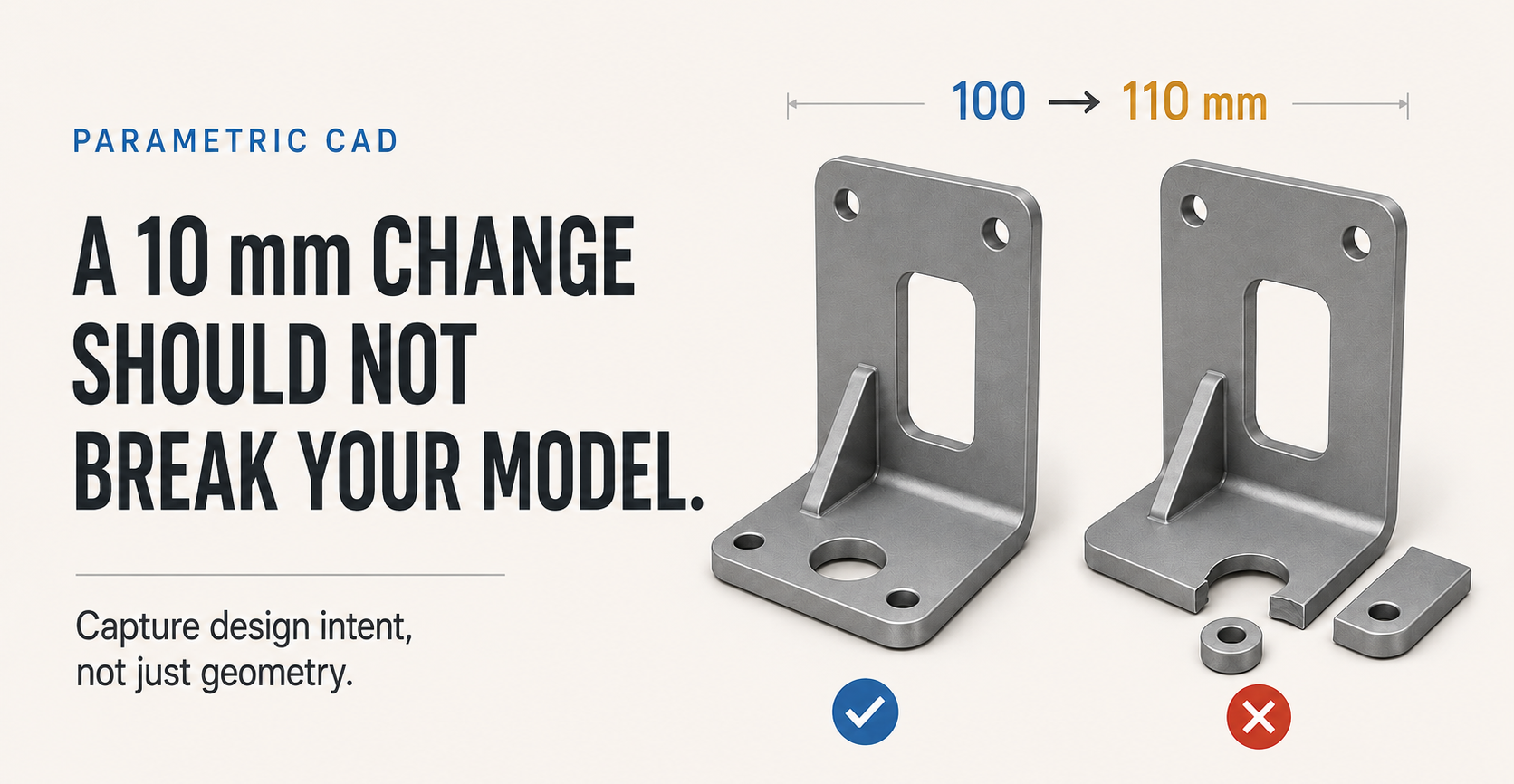
Everybody who has used parametric CAD for a few months has had this happen. A part is finished, the drawing is out, and someone asks for a bracket to be 10 mm longer. You change the dimension, press enter, and the model turns yellow. Half the features have detached. The fillet has gone somewhere impossible. A hole is floating outside the material.
The instinct is to blame the software. It is almost never the software.
Sketches hold two different things
Every sketch carries two kinds of information, and they are easy to confuse because they look the same on screen.
The first is geometry: where the lines actually are right now. The second is intent: what must stay true when something changes. A hole that sits 20 mm from the left edge might need to stay 20 mm from that edge forever, or it might need to stay in the centre no matter how wide the part becomes. Those two parts look identical until the width changes. Then one is right and the other is scrap.
Parametric CAD can only preserve what you told it. If you dragged the circle roughly into place and typed a dimension afterwards, you have recorded geometry. If you added a symmetry constraint to the two edges, you have recorded intent.
The test that finds the problem in ten seconds
Before you call a sketch finished, change one driving dimension by something absurd. Not 1 mm. Double it. Halve it.
If the sketch still looks like the thing you meant, the intent is captured. If it turns into a shape nobody would ever manufacture, it was never properly constrained, and it will break the first time somebody revises it.
Then undo. The point is the answer, not the change.
What usually goes wrong
- Under-constrained sketches. Most packages show unconstrained geometry in a different colour. That colour is not a suggestion. A fully constrained sketch cannot move in a way you did not authorise. - Dimensioning from whatever happened to be nearby. Measure from the datum a machinist would use, not from the last edge you drew. If the part is located from a machined face, dimension from that face. - Features that reference other features instead of the sketch. Selecting the top face of an extrusion to start a new sketch feels natural, and it means that sketch now depends on the extrusion's height. Change the height and the sketch moves with it, usually not where you wanted. - Fillets added too early. A fillet applied before the geometry settles is a feature waiting to fail, because it depends on edges that are about to move. Add them near the end.
Why it matters more here than in a tutorial
Tutorials model a part once and never touch it again. Real work does the opposite. A part gets revised because a supplier sent 3 mm plate instead of 4 mm, because the motor that was available is 8 mm wider than the one you specified, or because the first prototype did not fit.
When lead times are long and substitutions are common, the model you can change quickly is worth more than the model that looked right first. That is the whole argument for parametric modelling, and it only pays off if the intent went in.
A model nobody can safely change is a drawing with extra steps.
A habit worth building
Constrain as you draw, not afterwards. Add the relationship first — horizontal, symmetric, concentric, equal — and the dimension second. It feels slower for about a week. Then it stops feeling like anything, and your models stop exploding.
We teach this properly on our CAD course, in Fusion 360, Inventor or SolidWorks depending on what your organisation already runs, live online anywhere in Nigeria. It covers sketch discipline through to drawings a workshop can actually build from. You can see the outline and what it costs at our training page.